Hermes Agent on macOS: install layout, launchd supervision, and the TCC identity that breaks on rebuild
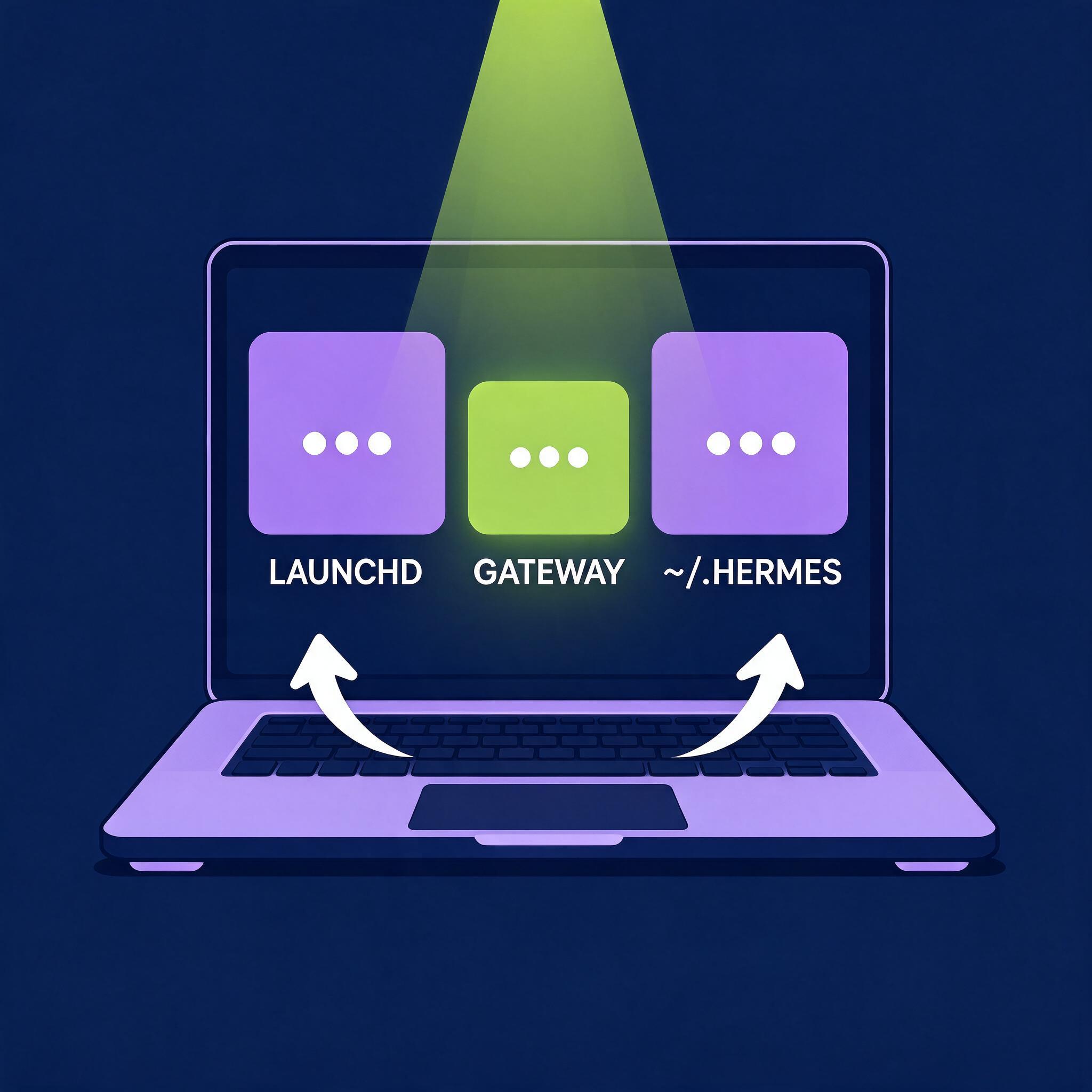
Hermes Agent is Nous Research's open-source agent framework — the same category as Claude Code, Codex, and OpenClaw — driving four surfaces from one agent core: a CLI and Ink TUI, a native Electron desktop app, a browser dashboard, and a messaging gateway covering roughly twenty platforms. On a Mac the install is a single command. Whether you end up with a dependable deployment or a mystery box is decided after that, because macOS splits "running a background agent" into three problems with three different mechanisms: a directory layout, a LaunchAgent, and a code-signing identity.
This walks through what the installer and hermes gateway install put on disk, what the supervisor plist says and why, where TCC bites, and which defaults matter once the machine runs unattended.
Three things that get conflated
"Deploying Hermes on macOS" usually means one of three different setups:
- A CLI install. The source script clones the repo, prepares a pinned runtime, and gives you
hermeson~/.local/bin. You are the supervisor. - The desktop app. A bundled
.appwith its own runtime, which can also attach to a backend elsewhere. - An always-on agent. A gateway bound to messaging platforms plus a scheduler, needing a service manager and a machine that stays awake.
They are not separate products: the app shares config.yaml, sessions, skills, and memory with the CLI, so a conversation started in a terminal resumes in the app. All of it lives under HERMES_HOME (default ~/.hermes).
Two install paths, and what each one owns
| Method | Code | Entry point | User data |
|---|---|---|---|
| POSIX source script | ~/.hermes/hermes-agent/ |
~/.local/bin/hermes |
~/.hermes/ |
| Desktop bundle | inside the app package | packaged launchers | platform default data dir |
| Docker | /opt/hermes/ |
image entrypoint | mounted /opt/data/ |
| Termux APT | $PREFIX/lib/hermes-agent/ |
symlinks in $PREFIX/bin/ |
~/.hermes/ |
On macOS the two documented paths are the desktop package from the product page and curl -fsSL https://hermes-agent.nousresearch.com/install.sh | bash. Read the layout table before picking: the choices are not interchangeable in day-two operations. A Docker install does not support hermes update at all — you update by pulling a new image — and moving from a source checkout to a bundled install later means migrating data rather than upgrading.
HERMES_HOME selects user data; the POSIX script's --dir selects the source checkout independently. Just don't run the installer under sudo: it targets ~/.local/bin, and a previous root install mostly leaves you cleaning /usr/local/bin/hermes by hand.
The architecture line is real, and it is not just marketing
Hermes tiers macOS on Apple Silicon — the desktop app and install.sh — as Tier 1, meaning install and update regressions there are fixed first. Intel macOS is a different story in three places that matter:
- The
Hermes-Setup.dmgbootstrap installer is built forarm64only. On an Intel Mac it simply reports "not supported on this Mac." - Intel machines use the
darwin-x64desktop bundle instead, or a CLI install and thenhermes desktop. brew,pypi, and the AUR are explicitly unsupported install paths, and Nix is Tier 2 — best effort, no prompt fixes.
The architecture also shows up in the resolved toolchain. On the Intel Mac this was checked on (i5-8500B, macOS 15.7.2, git install, Python 3.14.7), the generated LaunchAgent's PATH points exclusively at darwin-x64 tool trees — node-26.7.0-darwin-x64, a pinned python-3.14.7 build with a -darwin-x64 suffix, agent-browser-0.26.0-darwin-x64, cua-driver-0.21.0-darwin-x64, ffmpeg-9.0.1-darwin-x64. Nothing comes from a Homebrew prefix: Hermes resolves and pins its own per-architecture binaries, which is good for reproducibility and mildly annoying if you wanted the version you already had.
What the installer actually does
The POSIX script needs Git, curl, tar, and SHA-256 utilities, then clones the source, bootstraps a pinned uv (a uv already on your PATH is never reused), and hands dependency preparation to PM, which provides pinned Python, Node, npm, ripgrep, and FFmpeg from pm/lock.json. It selects the all Python extra and installs agent-browser with its pinned Chromium plus cua-driver, the computer-use driver, by default.
Current first-party installs run Python 3.14; the >=3.11,<3.15 range in pyproject.toml exists so an older install can run the updater before PM switches it, not as a promise that 3.11–3.13 are supported runtimes. Two opt-outs are remembered: --skip-browser and --skip-computer-use. Later installs and hermes update will not silently add them back — the opposite of what most installers do — and hermes pm install agent-browser undoes either. On a terminal, the script prints one status line per step and writes the noisy parts to logs/install.log.
What lands in ~/Library/LaunchAgents
hermes gateway install registers a per-user LaunchAgent — ai.hermes.gateway.plist for the default profile, ai.hermes.gateway-<name>.plist for each named profile. The plist is short, and almost every choice in it is a response to a specific failure mode:
| Key | Value | What it is doing |
|---|---|---|
Label |
ai.hermes.gateway |
identity for launchctl operations |
ProgramArguments |
/usr/bin/osascript -l JavaScript -e ... |
wraps the gateway so stderr lines get timestamps |
RunAtLoad |
true |
start on login |
KeepAlive |
{SuccessfulExit: false} |
relaunch on crash, but park on a clean exit |
ThrottleInterval |
30 |
raise launchd's 10 s minimum respawn interval |
ExitTimeOut |
60 |
graceful-drain headroom before SIGKILL escalation |
SoftResourceLimits |
NumberOfFiles: 4096 |
file-descriptor ceiling |
LimitLoadToSessionType |
Aqua, Background |
load in a GUI login session or background session |
| env | HERMES_HOME, HERMES_SUPERVISED_CHILD=1 |
data root, and "you are supervised" marker |
The osascript wrapper is the counterintuitive one: launchd has no log rotation and no line timestamps, so instead of a shell one-liner the job runs a small JXA script that execs hermes --run-module hermes_cli.stderr_timestamp --error-log ... -- hermes gateway run --external-supervisor, appending stdout and stderr to logs/gateway.log and logs/gateway.error.log while propagating the real exit status back to launchd. The status has to survive the wrapper, because launchd's restart policy reads it.
KeepAlive: {SuccessfulExit: false} deserves attention: a clean exit 0 parks the job instead of restarting it. A comment in the generated plist explains why — configuration errors surface as EX_CONFIG 78, which the timestamp wrapper maps to 0, launchd cannot honor RestartPreventExitStatus here, and a plain KeepAlive: true therefore respawned token collisions in an endless loop. Exit 75, emitted by the gateway's event-loop liveness watchdog when the asyncio loop stops dispatching, and ordinary crashes still relaunch.

Operationally, hermes gateway stop performs a full launchctl unload, removing the job from launchd's registry — the next hermes gateway start catches the resulting "Could not find service in domain for user gui: 501" and reloads the plist itself. For a hard reset, unload and reload ~/Library/LaunchAgents/ai.hermes.gateway-<profile>.plist; to remove the job entirely, launchctl remove ai.hermes.gateway. On a stuck gateway, kill -USR2 <pid> appends every thread's stack to logs/gateway_faulthandler.log without restarting anything.
Permissions bind to an identity, not a path
macOS keys TCC grants to an application's code-signing identity, and that single fact explains nearly every permission complaint about locally built or self-updated agents. Hermes signs local and self-updated builds with a stable, identifier-pinned ad-hoc signature, so grants made on one build survive later ones. Grants made before that behavior landed carry the old cdhash-pinned requirement, and those fail in a distinctive way: System Settings still shows the toggle as ON, macOS still re-prompts, and the modern prompt has no Allow button to click. It reads as a stuck permission. Reset the stale grant once per service and re-grant:
tccutil reset ScreenCapture com.nousresearch.hermes
then toggle the fresh entry on and fully quit and relaunch. For the strongest guarantee, Hermes can anchor to a certificate identity instead — the same trick yabai and skhd users rely on:
hermes desktop --setup-tcc-identity
That one command creates a self-signed code-signing certificate in your login keychain, grants codesign access, writes desktop.macos_signing_identity into config, and re-signs the packaged app. No Apple Developer account is involved; notarized release builds are detected and never re-signed. The manual route is Certificate Assistant → Create a Certificate → Self-Signed Root, type Code Signing, then trust it for code signing so security find-identity -v -p codesigning lists it.
Two more macOS-specific permission notes:
- Folder prompts collapse into one grant. macOS prompts per category — Desktop, then Downloads, then Documents — as the agent touches each one. One Full Disk Access grant to your terminal app (and to
Hermes.app, if you use it) covers all of them permanently;hermes doctorreports whether the current terminal already has it. - Computer use needs two grants, deliberately routed. The
computer_usetoolset drives the desktop in the background throughcua-driver, which needs Accessibility and Screen Recording for the identity named byhermes computer-use doctor—CuaDriver.app/com.trycua.driver, in every permission mode, because the daemon always launches through that app bundle rather than through the current Hermes build. That indirection is exactly what stops grants resetting on every update.
Keeping the machine awake, and what a restart costs
A LaunchAgent starts your gateway; it does not stop macOS from sleeping. caffeinate ships with the OS and solves it without a daemon:
caffeinate -dis                                  # block display, idle, and system sleep
caffeinate -dis -t 28800                         # same, auto-exit after 8 hours
caffeinate -i -w $(cat ~/.hermes/gateway.pid) &  # stay awake while the gateway runs
nohup caffeinate -dis >/dev/null 2>&1 &          # persistent, in the background
Tying it to the gateway's PID with -w is the tidier option: the assertion disappears when the process does, instead of silently holding a laptop awake for days.
Restarts are drain-first. On hermes update or an explicit restart, the gateway stops accepting new turns and waits for in-flight work — chat turns, cron jobs, API runs — to finish, capped by agent.restart_after_turn_timeout (30 minutes by default, 0 forces the drain immediately). While it waits, the updater and hermes gateway status list what is still holding it. That is the design trade: a long job finishing, or a fast restart, but not both by default.
Multi-profile installs changed shape here too. One gateway per profile used to be the model; multiplexing is now the default (gateway.multiplex_profiles, unset meaning "decide at boot, on when nothing blocks"). A single gateway serves every profile, resolving each turn against the routed profile's own config, skills, memory, and provider keys — credentials are never shared. Starting a new per-profile gateway requires --force, and parking one is hermes -p coder gateway stop, which writes a gateway.parked marker and drops that profile's cron jobs from later ticks without deleting anything.
Local models: one box, two very different profiles
Running the model on the same Mac is a legitimate deployment, and Apple Silicon is what makes it interesting. Hermes' own comparison runs Qwen3.5-9B at comparable quantization — Q4_K_M under llama.cpp versus mxfp4 under MLX — on an M5 Max with 128 GB of unified memory, five prompts, three runs each.
| Metric | llama.cpp (Q4_K_M) | MLX (mxfp4) |
|---|---|---|
| TTFT, average | 67 ms | 289 ms |
| Generation, average | 70 tok/s | 96 tok/s |
| Total time, 512 tokens | 7.3 s | 5.5 s |
The split is clean: llama.cpp wins prompt processing by more than 4x, MLX wins generation by about 37%. Whatever users feel first — interactive chat, tight tool loops — belongs on llama.cpp; whatever you pay for by total completion time — long-form generation, batch work — belongs on MLX.
Memory is the binding constraint, and the rule of thumb is model plus KV cache. A 9B Q4 model is roughly 5 GB; a 128K context with a Q4-quantized KV cache adds another 4–5 GB, while the default f16 cache balloons the same context to about 16 GB. Quantized KV cache flags are the single most effective lever on an 8–16 GB machine; 27B-and-up class models want 32 GB or more. Hermes auto-detects local endpoints and relaxes streaming timeouts accordingly — the read timeout goes from 120 s to 1800 s and stale-stream detection is disabled — which matters because Hermes re-sends its system prompt and tool schemas on every call, so a silent first turn is prefill work, not a hang. Settings → Providers → Local Models in the desktop app installs and manages a llama.cpp server for you. On Intel, llama.cpp still runs but without GPU acceleration, and none of the numbers above transfer.

Defaults that matter on an unattended Mac
Command approval defaults to smart: an auxiliary model assesses risk, low-risk commands are auto-approved for that command only, dangerous ones are auto-denied, and uncertain cases escalate to a prompt. Three headless contexts default to deny instead — cron_mode, single_query_mode, and unattended_mode (webhook and API-server sessions). A hermes chat -q run or a webhook-triggered session that trips a dangerous-command prompt gets the command blocked immediately rather than waiting out the 300-second approval timeout. On a Mac running overnight jobs, that is the setting that decides whether a stuck job fails fast or simply hangs.
Below all of that sits the hardline blocklist — rm -rf / and its no-preserve-root form, fork bombs, mkfs on a mounted root device, dd to block devices, piping untrusted URLs to sh at the rootfs top level. It trips before the approval layer and has no override, --yolo included.
The one macOS-specific guard that will surprise you: the terminal tool refuses to stop or restart the gateway from inside its own supervised process, and refuses process killers aimed at the interpreter image (pkill -9 python3, killall python, name-derived pgrep | xargs kill) because a supervised gateway is a python process. On macOS the guard also covers executed launchctl submit and launchctl bootstrap commands regardless of job label — a conservative registration restriction, not an inspection of the target plist. Read-only launchctl print is unaffected. The practical consequence is concrete: LaunchAgent maintenance has to happen from a separate shell, not by asking the agent inside the gateway to manage its own supervisor.
What an update does to a running deployment
hermes update is less trivial than it looks, and the parts that matter on macOS are the failure paths:
- Snapshot first. A quick pre-update snapshot covers pairing data, cron jobs,
config.yaml,.env, andauth.json, per profile;updates.pre_update_backupselectsquick,full(a zip ofHERMES_HOME), oroff. Quick snapshots are file-loss recovery, not code-rollback insurance. - Parse-validate, then auto-roll back. After the pull, Hermes compiles the nine critical files every
hermesinvocation imports at startup. If any fails to parse, it runsgit reset --hard <pre-pull-sha>so your shell stays bootable, then re-executes itself on the pulled code so old and new modules never mix. - Desktop rebuild is stage-and-swap. The Electron app is built into a staging directory, verified, and only then renamed over the previous build; a failure leaves the old app launchable and reports
⚠ Update partially complete. On macOS the verified bundle is then copied withditto(signature intact) over/Applications/Hermes.appor~/Applications/Hermes.app. A copy that is running is left alone, with instructions to quit and re-run. - Service-managed gateways restart through launchd, while manual ones relaunch when Hermes can map the running PID back to a profile.
For version control: hermes update --check previews behindness without changing anything, --branch tracks something other than main, and updates.check false disables passive update notices (it does not control the desktop app's own updater). When moving a machine, hermes backup (full, includes .env and auth.json, .zip) is not the same thing as hermes profile export (single profile, credentials stripped by design, .tar.gz) — only the first is a real backup.
Where this still hurts
- Intel macOS is a second-class citizen. The arm64-only bootstrap installer refuses outright, local models lose GPU acceleration, and Tier 1 covers Apple Silicon only.
- TCC churn is a genuine, if bounded, cost. The first update after switching to a certificate identity re-prompts once while the app's identity changes, and stale
cdhashgrants need a manualtccutil reset. ExitTimeOutis clamped to 60 s in the per-user GUI launchd domain. The gateway reads the live value at boot and fits its drain inside it, but a genuinely hung in-flight job still gets cut.- Sleep is entirely your problem. Nothing in the LaunchAgent prevents it, and a laptop that naps will look like a flaky agent.
- Docker installs have no
hermes update, so containerizing on macOS for isolation means image-based updates.

A restrained order of operations
- Install the CLI without
sudo, then runhermes doctorbefore anything else.hermes setup --portalis the shortest path to a working provider plus the Tool Gateway. - Decide the model backend before touching the gateway. If your PATH lives in
~/.zshrc, add it toterminal.shell_init_filesnow — Hermes builds its command environment from a login shell, and a zsh-managedPATHis otherwise invisible. - Grant Full Disk Access once, to the terminal app and to
Hermes.app, and runhermes desktop --setup-tcc-identityearly rather than after the first update. hermes gateway setup, thenhermes gateway install, then confirm withhermes gateway status. Do not trust "installed" as "running."- Handle sleep explicitly —
caffeinate -i -w $(cat ~/.hermes/gateway.pid) &for a laptop doing double duty, or an energy policy that keeps the machine up. - Set
approvals.cron_modeandapprovals.unattended_modedeliberately, and keep the multiplexed single-gateway default unless something concrete blocks it. - Run
hermes backupbefore each update, and keep LaunchAgent maintenance in a separate shell from the agent itself.
References
- Installation — Hermes Agent docs
- Platform Support — Hermes Agent docs
- Hermes Desktop — Hermes Agent docs
- Running Many Gateways at Once — Hermes Agent docs
- Security — Hermes Agent docs
- Updating & Uninstalling — Hermes Agent docs
- Run Local LLMs on Mac — Hermes Agent docs
- Computer Use — Hermes Agent docs